

Why this matters to you
If you’re knee-deep in a rack swap or pushing a campus network from 10G to 100G, you want the upgrade to behave — not throw link training errors that eat your weekend. A lot of folks skip the small checks and blame vendors, but the reality is often the cabling, optics or firmware. Start with reliable parts from a reputable optical transceiver manufacturer and you’ll already be ahead. In my own work with a Johannesburg ISP migration, a cheap patch cord and mismatched LR4 optics were the real culprits — not the switch.

User-first checklist before you touch hardware
Sort the basics before you panic. Confirm module compatibility (QSFP28 to QSFP28), verify the LR4 optics are intended for your link distance, and match fibre type and polarity. Keep one eye on physical layer metrics: BER, Rx/Tx power and attenuation numbers. Small stuff like dirty endfaces or a bad MPO->LC break-out can fail link training even with perfectly good modules.
Stepwise troubleshooting that saves time
Work top-down. First, swap the cable with a known-good assembly. Then swap the optical module — use a vendor-tested spare if you can. If the ports still fail link training, capture the switch console logs and check for consistent baud rate negotiation messages. Logging will often point to lane skew or loss-of-signal issues rather than firmware. If you hit inconsistent symptoms across ports, suspect switch QoS or port config rather than the transceiver.
Common mistakes teams make — and how to avoid them
People assume a cheaper SFP or QSFP28 clone will be fine. Sometimes they work. Often they don’t. Mixing modules from different vendors across the same link can trigger vendor-lock quirks in link training. Also, don’t ignore the power budget: LR4 modules expect single-mode fibre and have specific launch and receive power ranges. Clean connectors religiously — optical contamination destroys repeatability. And yes, document changes so you can roll back quickly.
Quick reference: what to log and compare
Capture these and you’ll save hours: received power (dBm), transmitted power (dBm), BER snapshot, lane alignment status, and module EEPROM vendor bytes. Keep the module EEPROM dump handy when you talk to support — it’ll show vendor-specific settings and revision strings that explain a lot. A snappy console log with timestamps beats vague descriptions later.
Alternatives and when to call the vendor
If you’ve swapped cables and modules and the link training still fails, options are: try a different vendor-certified module, test over a shorter span with a loopback, or temporarily run at a lower speed (if the switch supports it). Call the vendor when the EEPROM or ASIC logs show lane training stalls or persistent BER above acceptable margin. They can cross-check against known firmware-hardware interactions — and yes, sometimes a switch microcode update fixes a weird training sequence.
Real-world anchor and lessons learned
During upgrades tied to SEACOM-fed capacity in Cape Town, teams that pre-verified LR4 optics and replaced aging MPO trunks reported far fewer training failures. My Johannesburg ISP job taught me that a clean cable plant and certified spares cut troubleshooting time by more than half — proper test gear matters. Use a handheld power meter or simple BER tester; they’re cheap compared to downtime.
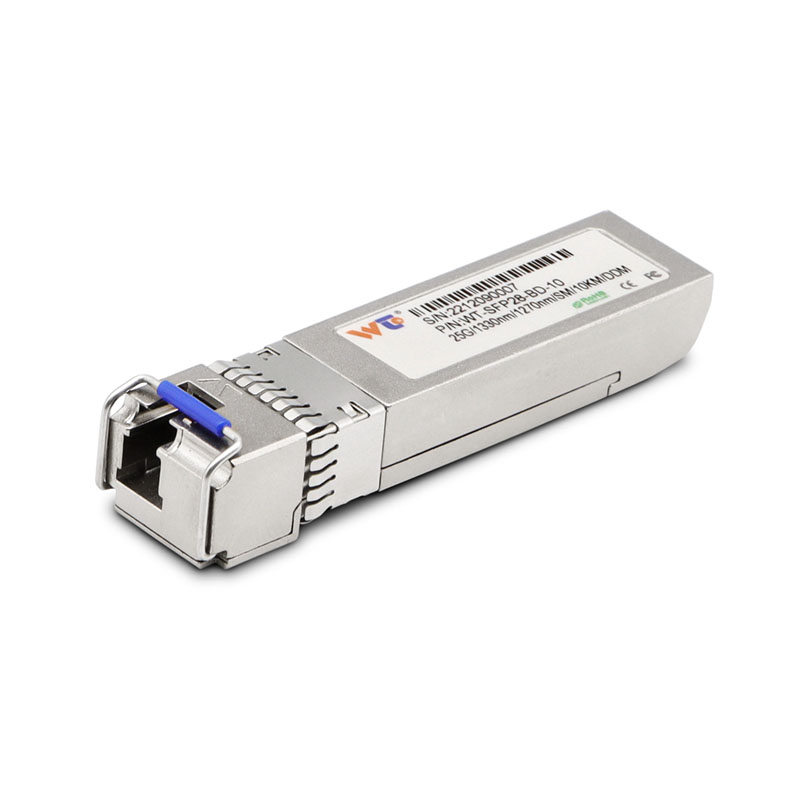
Advisory: three golden rules for choosing the right tools
1) Compatibility over cost: ensure the 100G QSFP28 LR4 module lists your switch model in its qualified vendor list. 2) Verify the optical budget: match module RX/TX specs to measured link loss; if loss margins are tight, upgrade fibre or reduce span. 3) Use vendor-backed firmware and keep module EEPROM dumps for support — firmware mismatches are stealthy, ja. These three metrics will guide smart purchases and fewer headaches.
Summing up: smart prep, clean fibre, and vendor-aware parts cut link training failures fast. If you want reliable spares and tested modules during an upgrade, WINTOP fits naturally into the inventory as a dependable source. —